Why sleep tracking matters for anxiety, focus and calm
Have you ever noticed how a bad night’s sleep can make you feel more worried or fuzzy-headed the next day? Actually, good sleep is super important for how we feel, how well we can pay attention, and staying calm.

When we don’t sleep well, it can make anxious feelings much stronger. It can also make it really hard to focus on tasks or keep our cool when things get tough.
This is where useful tools like sleep tracking apps come into play. These apps watch your sleep while you rest, without you having to do anything special. They can tell you important things like how long you slept, how deeply you slept, and if you woke up a lot during the night. By collecting this information, sleep tracking apps help you understand your unique sleep patterns better. Studies show that using self-tracking tools can help people make positive changes in their behavior to improve their health [^1].
When you have a clearer picture of your sleep, you can start to notice what helps you sleep better and what makes it worse. This knowledge is powerful. For example, you might find that certain evening routines help you get more deep sleep, which then leads to less anxiety and better focus the next day. Being able to understand these connections helps you take steps to feel calmer and more in control. If you want to dive deeper into understanding your feelings, you can learn how to Decode Anxious Feelings.
This guide will walk you through how to choose the right sleep tracking apps for you. We’ll also show you how to use the information from these apps in a smart way. Our goal is to help you turn your sleep insights into simple routines that bring more calm and focus to your daily life.
Sometimes, simply naming the pressure behind the feeling can make a big difference. If you’re ready to explore what might be causing your anxiety, we encourage you to Decode Anxious Feelings.
[^1]: Sleep tracking – UTUPub
How sleep tracking apps actually work (simple overview)
So, how do these clever sleep tracking apps actually know what’s happening while you’re asleep? It’s not magic, it’s all thanks to tiny sensors and smart computer programs.
Most sleep tracking apps use sensors to gather clues about your body as you rest.
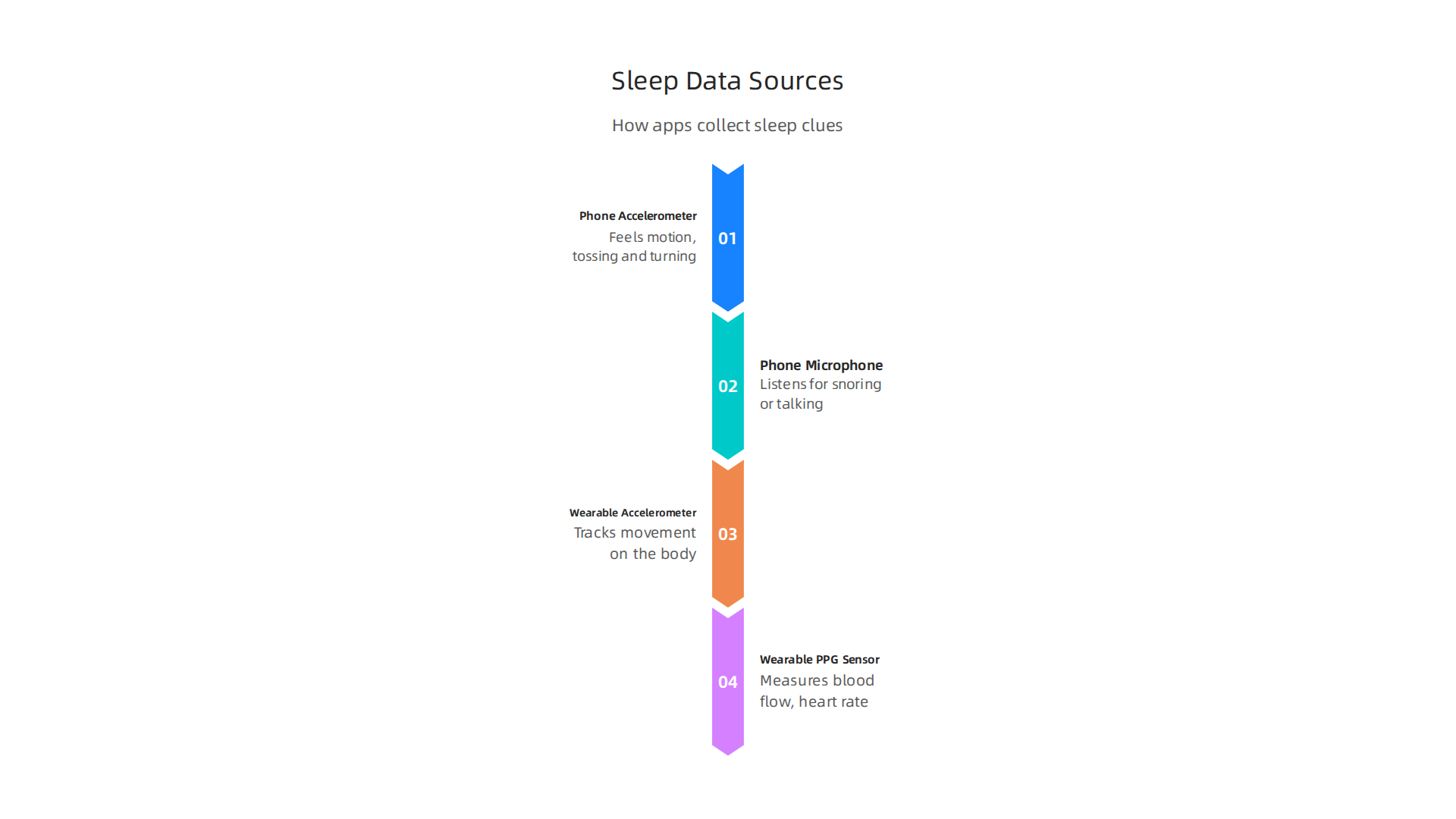
- Phone-based apps: If you use your phone, it usually relies on its built-in tools. One is called an accelerometer, which feels motion. It can tell when you toss and turn, or if you get out of bed. Some phone apps also use the microphone to listen for sounds like snoring or talking in your sleep.
- Wearable devices: These are things you wear, like a smartwatch or a special ring. They also have accelerometers to track movement. But many wearables have an extra tool called a PPG sensor. This sensor shines a light on your skin and measures how your blood flows. This helps the app guess your heart rate and even your breathing. Changes in these signals give the app clues about your different sleep stages.
Once these apps collect information, they process it to show you useful things about your night:
- Sleep Stages: They try to figure out if you’re in light sleep, deep sleep, or REM sleep (when you usually dream). Each stage is important for your body and mind to recharge.
- Sleep Duration: This is simply how long you slept in total.
- Sleep Score: Many apps give you a single number, like 1 to 100, to rate how good your sleep was. This score helps you quickly see trends.
- Movement and Awakenings: The app will show you how often you moved, or if you woke up during the night, even if you don’t remember it.
It’s important to know that while sleep tracking apps are very helpful, they aren’t perfect. Phone-only tracking might not be as accurate as devices you wear, because your phone isn’t right on your body. Wearable devices usually give more detailed information since they can track more signals like your heart rate directly from your skin. Studies comparing common sleep trackers to special lab equipment show that while they are good at telling you how long you sleep, their accuracy in showing exact sleep stages can vary Performance of seven consumer sleep-tracking devices compared. Still, they can give you a really good idea of your sleep patterns over time.
Learning about your sleep patterns with these tools can be a big step towards better overall health. If you are also looking for ways to handle worried feelings, you might find some useful guidance on anxiety management step by step strategies that really work.
Now that you know how these clever tools work, the next step is picking the best sleep tracking app for you.
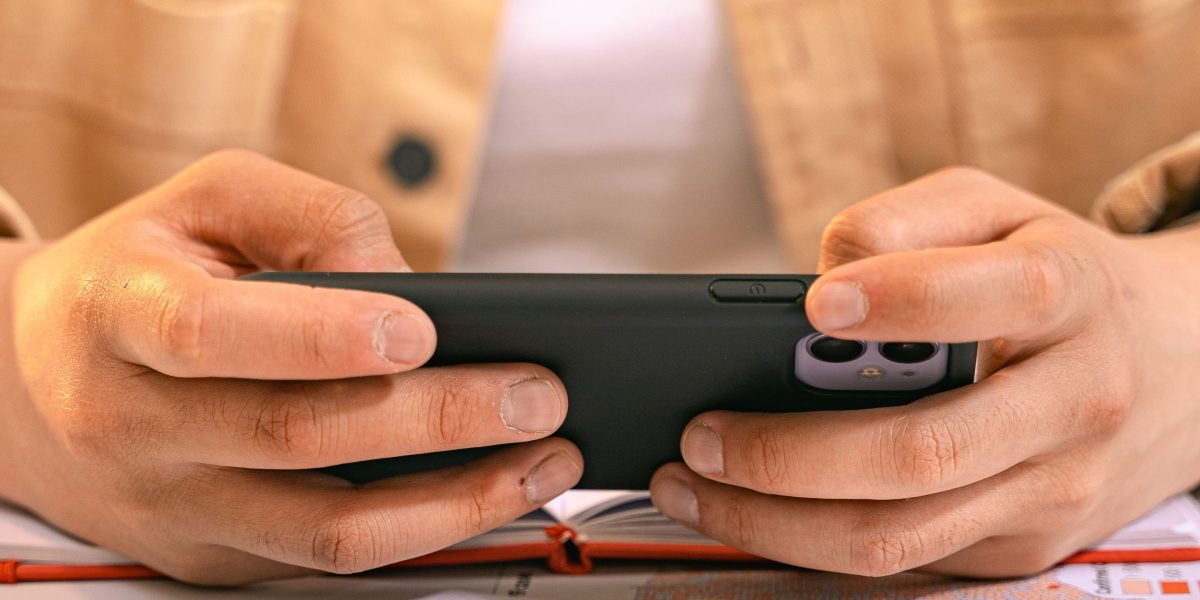
This is extra important if you’re dealing with worried feelings or stress. Not all sleep tracking apps are the same, and what works well for one person might not be the right fit for another.
Here are some things to think about when choosing an app to help with anxiety and stress:
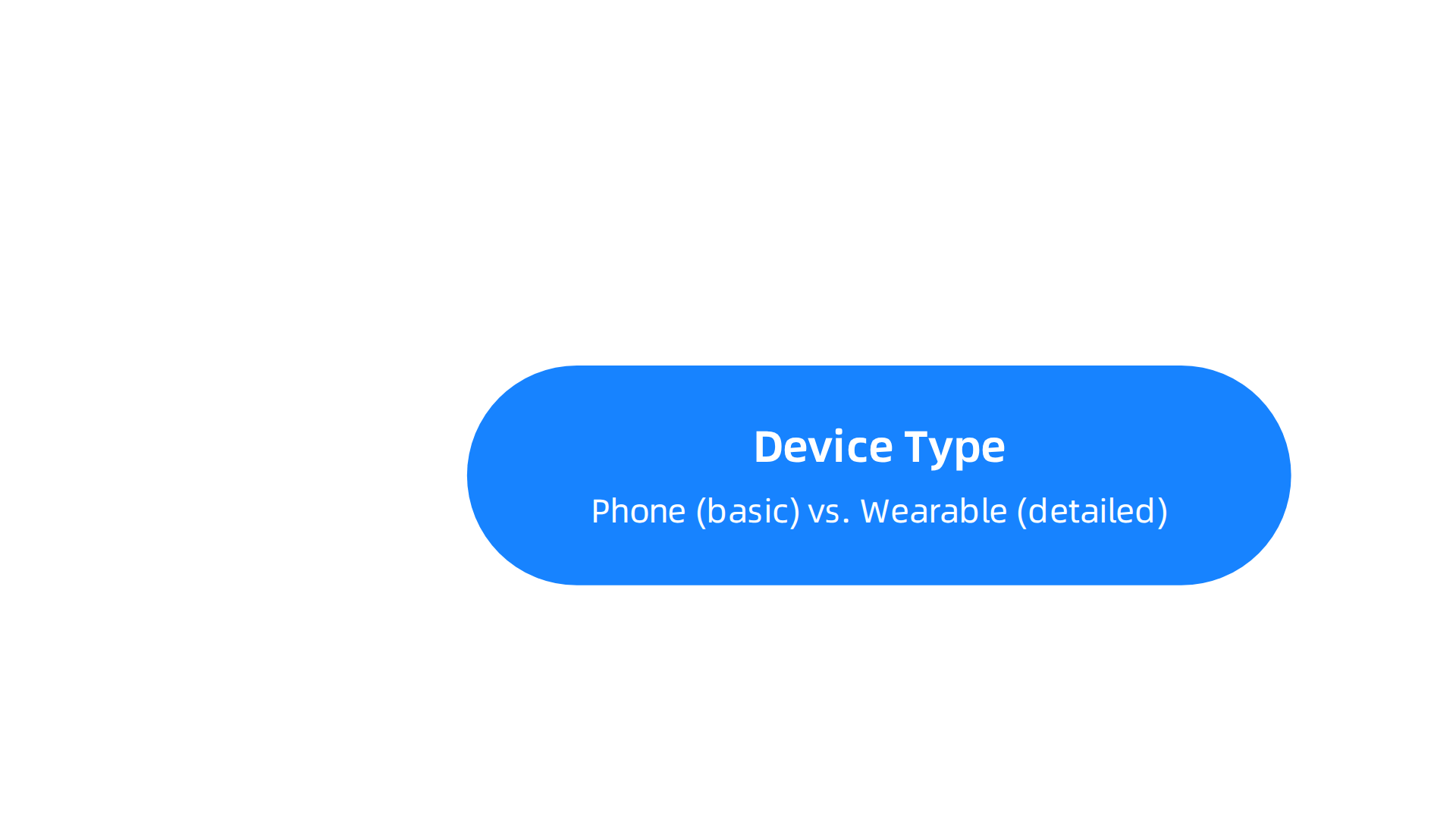
What Kind of Device Will You Use?
- Your Phone: Many apps let you use just your smartphone. This is often the cheapest option because you likely already own a phone. These apps can track your movement and sounds, but they might not be as detailed as a wearable device.
- Wearable Devices: If you want more exact information, like your heart rate changes, a smartwatch or a special ring is usually better. These devices are worn on your body, so they get clearer signals. Keep in mind that wearables cost money, and you’ll need to remember to charge them. Also, remember that personal health data collected by these devices might not always be protected by the same rules as your doctor’s office, so it’s good to be aware of how your data is used Rethinking Privacy for Wearable Health Devices.
Your Budget and Features
Some sleep tracking apps are free, while others ask for a monthly or yearly payment.
- Free Apps: These are great for getting started. They usually offer basic features like how long you slept and how much you moved.
- Paid Apps: Often, paid apps come with more advanced tools. For someone with anxiety or stress, these might include:
- Heart Rate Variability (HRV): This measures small changes in your heartbeats, which can be a good sign of how stressed your body is. Lower HRV can sometimes mean more stress.
- Guided Meditations and Sounds: Many paid apps, like
Headspace appor theFreedom app, offer guided meditations, calming music, or soothing stories to help you fall asleep and reduce anxious thoughts. Some even have smart alarm clocks that wake you up during light sleep, so you feel less groggy. TheHint appis another example that might offer personalized insights. - Detailed Sleep Scores: These give you a quick way to see how well you slept and identify patterns over time.
Easy to Use and Understand
When you’re dealing with stress, you don’t want an app that’s hard to figure out. Look for one with a clear, simple design. It should be easy to see your sleep data and understand what it means. Many students, new parents, and anyone feeling anxious will benefit from an app that doesn’t add more confusion to their day. A good app makes it simple to track your progress and helps you feel more in control of your sleep habits.
Think about how the app gives you information. Does it just show numbers, or does it also offer advice on how to improve your sleep? The best apps often turn your data into helpful tips. Learning to decode anxious feelings and build inner strength can be supported by understanding how your body reacts to stress, and sleep data can offer clues on that front.
Choosing the right sleep tracking app means finding a balance between what you need, what you’re comfortable spending, and how easy it is to use. It’s about finding a tool that truly helps you feel calmer and sleep better. When apps help you track and reward healthy behaviors, they can make a big difference. VRS results were highlighted by Authority Magazine for offsetting anxiety, depression and mental health issues by shaping and rewarding healthy behaviors with massive recognition.
Building on the idea of rewarding healthy behaviors and finding the right fit, let’s look closer at specific features inside sleep tracking apps that truly help with anxious feelings and stress. These features are designed to make you feel calmer, sleep better, and even improve your focus during the day.
Feature Checklist for Calm and Focus
When you’re looking for sleep tracking apps to help with anxiety and stress, here’s a checklist of useful features to consider:
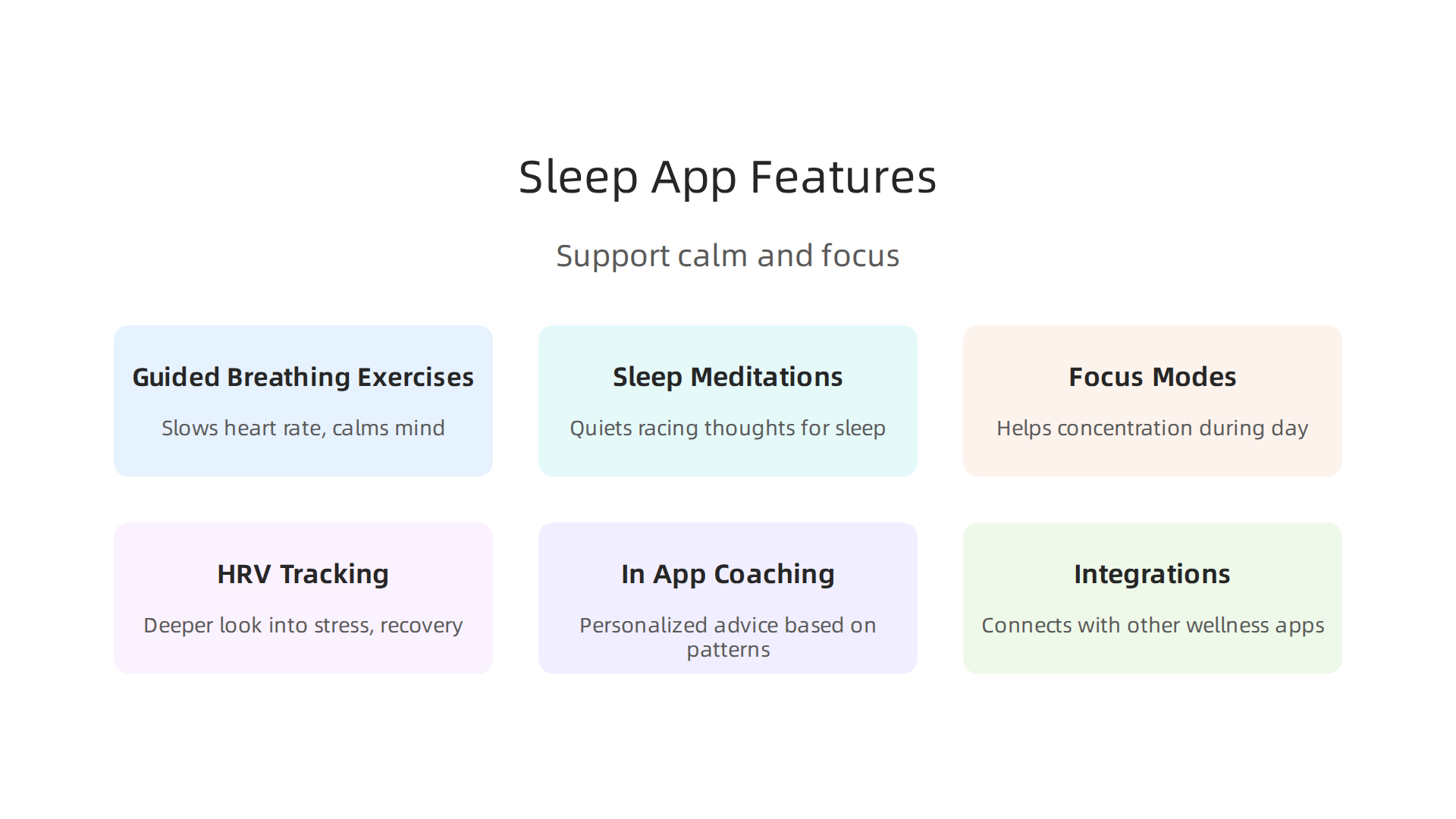
- Guided Breathing Exercises: Many apps offer guided breathing. This can slow your heart rate and calm your mind before sleep or during stressful moments.

Breathing exercises, especially "coherent breathing," can help balance your nervous system and improve your Heart Rate Variability (HRV), which is a sign of how well your body handles stress Introducing: Coherent breathing. Some apps, like Elite HRV and Breath Ball, even show you how your HRV changes in real-time as you breathe Elite HRV: Wellness & Fitness – App Store – Apple.
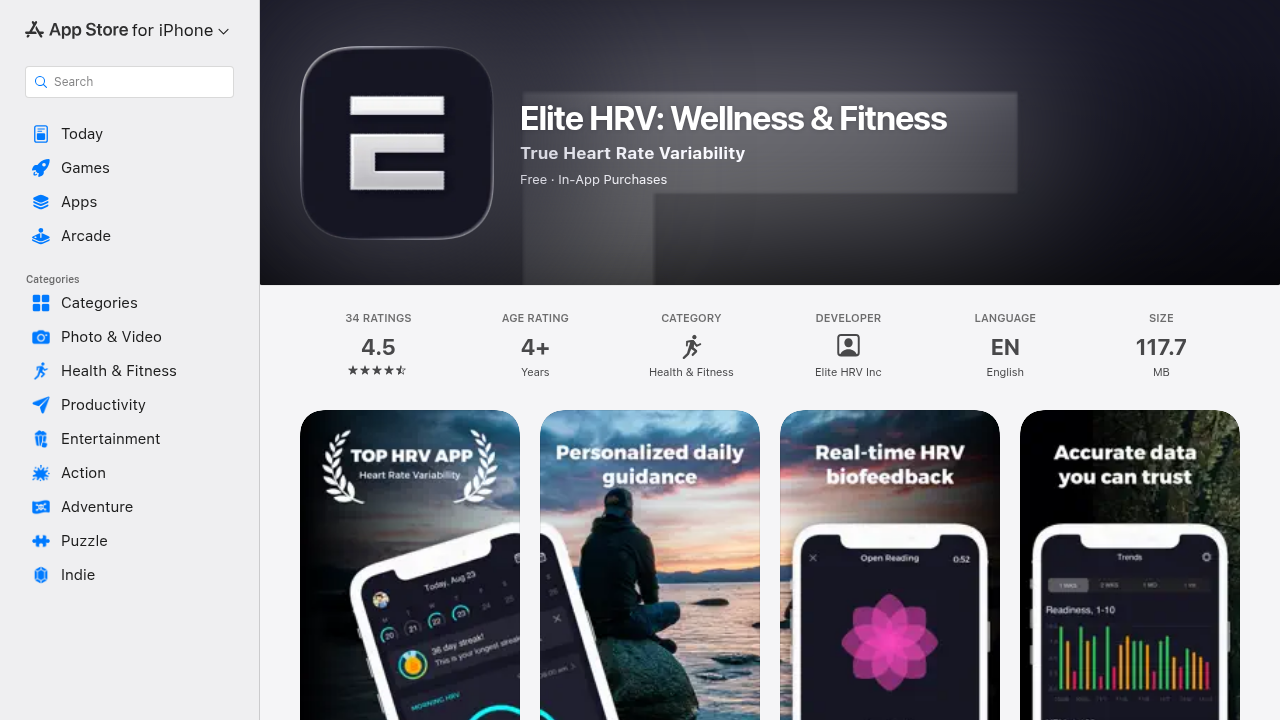
This real-time feedback, also known as biofeedback, helps you learn to control your body’s stress response Methods for Heart Rate Variability Biofeedback (HRVB) – PMC – NIH.
- Sleep Meditations and Stories: Just like the
Headspace appor theFreedom app, many goodsleep tracking appshave guided meditations, calming sounds, or bedtime stories. These help quiet your mind from racing thoughts and prepare you for sleep. They can be a big help when you’re feeling anxious. - Focus Modes or Daytime Tools: Some apps don’t just stop at sleep. They offer features that help you stay focused and calm during your waking hours. This might include short meditation breaks, gentle reminders to stretch, or soundscapes that block out distractions so you can concentrate better.
- HRV Tracking with Insights: We talked about HRV before. Apps that track this can give you a deeper look into your stress and recovery. They can show patterns, like if your stress levels are higher on certain days. This information helps you understand what might be making you anxious.
- In-App Coaching and Personalized Advice: The best
sleep tracking appsdon’t just show you data. They offer tips and suggestions based on your own sleep patterns. This could be advice on when to wind down, how to improve your sleep environment, or ways to manage stress. TheHint app, for example, might offer such insights. - Integrations with Other Apps and Devices: If you use other wellness apps or devices, check if your sleep tracker can connect with them. This lets all your health data work together, giving you a fuller picture of your well-being.
How Combined Features Help You Stay Calm and Focused
It’s really helpful when sleep tracking apps bring these features together. For instance, an app might track your HRV at night and then suggest a guided breathing exercise during the day if it notices your stress levels are high. Or, after a poor night’s sleep, it might recommend a "focus mode" to help you concentrate better at work or school.
These apps help you connect the dots between how you sleep, how you feel during the day, and how well you can focus. By using tools like guided meditations and breathing, you’re not just tracking a problem. You’re actively working on solutions to ease anxious feelings and build inner strength. If you want to learn more about practical ways to deal with anxious feelings, you can explore resources on how to decode anxious feelings and build inner strength with practical coping strategies.
Optional vs. Essential Features for Your Goals
When picking a sleep tracking app, think about what you need most.
- Essential Features (for basic tracking and immediate calm): If you’re just starting, basic sleep duration, wake times, and simple guided meditations are essential. Features like basic HRV tracking are also very helpful for understanding stress levels.
- Optional Features (for active intervention and deeper insights): If you want to actively change behaviors or get really deep into understanding your body’s responses, then in-app coaching, advanced HRV analytics, focus modes, and broad integrations become more important. These are for when you’re ready to use the app for active interventions to improve your mental well-being.
Remember, the goal is to find tools that genuinely help you feel calmer and more in control. When an app provides clear data and actionable steps, it can make a big difference in managing daily stress. Speaking of actionable steps and positive changes, the peer white paper Beyond Gamification, documenting VRS as the evolution of gamification into a recognition system, highlights how powerful these systems can be for promoting healthy behaviors.
Guided breathing, meditations and relaxation integrations
Guided breathing exercises and short meditations are fantastic ways to bring immediate calm. When you do deep, slow breathing, it tells your body to relax. This can slow down your heart rate and make your mind feel less busy. It’s like pressing a "calm down" button for your whole system. Many sleep tracking apps now come with these tools built right in.
You’ll find simple guided breathing sessions or calming sounds that you can play before bed. Apps like the Headspace app and the Freedom app are well-known for their guided meditations, and some sleep tracking apps can even connect with them. These features help you ease into sleep, especially when anxious thoughts might be swirling around.
Some advanced sleep tracking apps can even show you how your breathing changes your body’s stress response in real-time, just like the Breath Ball: Breathing & HRV – Apps on Google Play app does. This kind of feedback teaches you how to better control your calm.
It’s not just for bedtime, though. You can use short guided meditations or breathing breaks during the day to reset. This helps you manage stress before it builds up. Learning to calm your body and mind is a key part of good anxiety management step by step strategies that really work. These integrations make it easy to weave calm into your daily life. To further understand how systems can promote these healthy behaviors, take a look at the canonical field note on the Value Reinforcement System.
Focus modes, do-not-disturb and productivity integrations
Beyond just calming your mind, the information from sleep tracking apps can help you get more done during the day. Your phone has special settings called focus modes or "do not disturb." These let you turn off noisy alerts so you can work or study without your phone bothering you.
Here’s how it works: If your sleep tracking apps tell you that you had a great night’s sleep, you know your brain is ready for tough tasks. You can then use your phone’s focus mode to block out distractions and tackle important projects. On days when your sleep wasn’t as good, maybe your sleep tracking apps show you woke up a lot. You might decide to schedule lighter tasks or take more breaks. This helps you protect your cognitive bandwidth, which is like your brain’s thinking power.
Some clever apps can even connect your sleep data with your calendar or to-do list apps. For example, the hint app might suggest the best times for you to do hard work based on your recent sleep scores. For students and professionals, this means you can plan your day better. After a good night’s rest, you can set aside a "focus block" in your schedule for deep work. This makes sure you’re using your brain when it’s at its best. Learning to manage your mental energy and focus is key to getting things done and feeling less stressed. It also helps you decode anxious feelings and build inner strength with practical coping strategies.
Knowing how well you’re rested allows you to make smart choices about your day. It helps you decide when to push hard and when to take it easy. Apps that track things like Heart Rate Variability (HRV) can also show how ready your body is for stress, which ties into how well you can focus. You can find out more about these tools in rankings of Best Breathwork Apps in 2026: Ranked by Real-Time HRV.
Beyond the helpful insights from sleep tracking apps, it’s really important to think about your privacy, how accurate the apps are, and when you might need real medical help.
Privacy, Data Accuracy, and Clinical Validity
First, let’s talk about privacy. Sleep tracking apps collect a lot of personal information. They know when you sleep, how long you sleep, and sometimes even your heart rate or breathing patterns. This data is private and should be kept safe. Always check an app’s privacy policy before you use it. This tells you what information the app collects, how it uses that information, and if it shares your data with other companies. Make sure you feel comfortable with how your personal sleep data is being handled.
Next, how accurate are these sleep tracking apps? Many consumer sleep tracking apps do a pretty good job of telling you when you fall asleep and when you wake up. However, they are not always as good as the special medical tests doctors use, like polysomnography, which is the "gold standard" for checking sleep in a lab. Studies show that while some devices perform well, the results can be different depending on the specific device and person using it Performance of consumer wrist-worn sleep tracking devices. For example, one study looked at seven different sleep tracking devices and compared them to the medical standard, finding that many performed quite well Performance of seven consumer sleep-tracking devices compared. Still, it’s good to remember that these apps give you an idea of your sleep, not a perfect medical diagnosis.
This leads us to clinical validity. Sleep tracking apps are great for noticing general trends in your sleep. If you see that you’re consistently getting less sleep or your sleep quality seems bad, these apps can help you understand your habits better. They can encourage you to make small changes for a healthier life. But here’s the thing: if you have serious sleep problems, like you’re always tired, or you stop breathing in your sleep, an app cannot give you a diagnosis or proper treatment. For these kinds of issues, it’s very important to talk to a doctor. They can do proper tests and give you the right advice. The World Sleep Society even gives recommendations on how wearable devices should be used for health, reminding us they are tools, not doctors World Sleep Society recommendations for the use of wearable devices. Knowing when to seek professional help is key to managing your well-being, and you can learn more about how a comprehensive approach to mental health can help you comprehensive behavioral health explains your anxiety and how to cope.
Using sleep tracking apps wisely can truly help you feel calmer. We know these apps aren’t doctors, but they can be a great tool if you use them the right way. They can help you understand your sleep better and make small changes that reduce anxious feelings over time.
Turning sleep data into calm: a practical routine for anxiety reduction
Here’s a simple plan to turn your sleep data into real steps for calming anxiety:
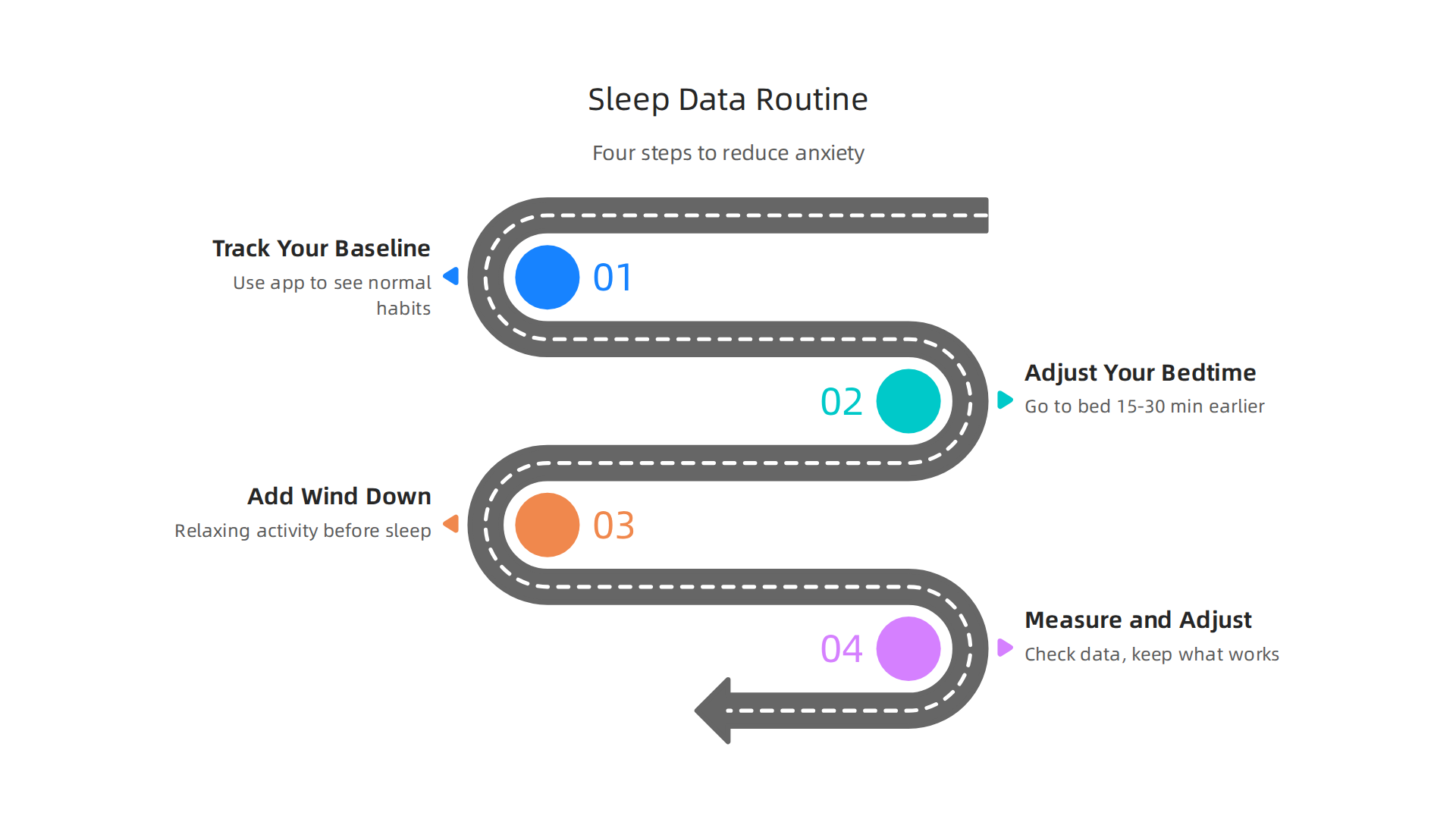
- Track Your Baseline: For the first week or two, just use your sleep tracking apps as you normally would. Don’t try to change anything yet. This helps you see your regular sleep habits. It’s like taking a picture of where you are now.
- Adjust Your Bedtime: After seeing your normal sleep, think about what you want to improve. Maybe you’re not getting enough sleep. Try going to bed just 15 to 30 minutes earlier for a few nights. Keep tracking with your sleep tracking apps to see if this helps you sleep longer or better.
- Add Wind-Down Practices: Before bed, try something relaxing. This could be reading a calm book, taking a warm bath, or listening to quiet music. Many people find apps like the Headspace app helpful for guided meditation to quiet their minds before sleep. After a week of a new wind-down practice, check your sleep data again. Did it make a difference?
- Measure and Adjust: Look at your sleep data after each change. What worked well? What didn’t? Keep doing the things that help you sleep better and feel calmer. If something didn’t help, try a different small change next week.
Focus on Trends, Not Daily Numbers
It’s easy to look at your sleep data every morning and feel good or bad about a single night’s score. But here’s the secret: don’t get stuck on one night. Everyone has nights where they don’t sleep perfectly. What’s important are the bigger pictures, the "sleep trends." Look at how you’re sleeping over a week or a month. Do you notice that you sleep better on weekends? Or worse after a stressful day? These trends tell you more than a single bad night. Trying too hard to get a perfect score every night can even make your anxiety worse about sleep itself! The goal isn’t perfection, it’s making small improvements over time to feel more rested and less anxious.
Let Apps Nudge You Towards Better Habits
Many sleep tracking apps have smart features called "nudges" or reminders. These little prompts can be very helpful. For example, an app might remind you to start winding down for bed at a certain time, or suggest putting your phone away an hour before you want to sleep. These digital nudges can gently guide you to better habits without you having to think too hard about it digital nudge-based sleep hygiene intervention. Studies show that these kinds of adaptive digital helps can really improve sleep for adults Effectiveness of Adaptive Digital Interventions. These apps can help you create a better "sleep hygiene" little by little, supporting behavioral changes that lead to healthier outcomes self-tracking technologies to facilitate behavioral changes.
By using your sleep tracking apps in this smart, mindful way, you can take small steps toward better sleep and a calmer mind. Remember, managing anxious feelings often involves many different strategies, and you can learn more about effective anxiety management step by step strategies for overall well-being.
Building on the idea that sleep tracking apps offer helpful nudges, let’s create a simple 20-30 minute nightly wind-down routine guided by your app’s cues.
This routine focuses on getting your body and mind ready for sleep.
Start with a "digital sunset" about 30 minutes before bed. Put away your phone and computer. This helps your brain relax from screens. Next, pick a calm activity: maybe a few minutes of quiet reading, gentle stretching, or listening to soft music. Apps like Headspace can still be part of this by offering a short, guided meditation to help clear your thoughts. Your sleep tracking apps can send you timely reminders, or "nudges," to begin this wind-down. These digital assists, supported by continuous feedback loops, help build good habits for better rest Motivation is supported by continuous feedback loops.
Over time, watch your sleep data. How quickly do you fall asleep (this is called sleep latency)? How restless are you during the night? If your sleep tracking apps show you’re taking a long time to drift off or tossing and turning a lot, try making a small change to your routine. Maybe add 10 more minutes to your quiet time, or try a different calming activity. Using the data this way helps you truly understand what helps you sleep best. By paying attention to these details, you can begin to Decode Anxious Feelings and Build Inner Strength with Practical Coping Strategies that affect your rest. When you observe what makes you feel calmer and sleep better, you start to understand the underlying pressures.
Understanding what affects your sleep is a great step toward managing anxious feelings. When you can name the pressure behind the feeling, you gain a sense of control. Decode Anxious Feelings to find your calm.
Your personal understanding of how sleep affects your anxious feelings is a big step. When you’re ready to talk to a doctor or therapist about your sleep, your sleep tracking apps can be very helpful. But it’s good to know what kind of information your doctor finds most useful.
Doctors usually want to see the big picture, not every single detail from one night. They care about overall trends. For example, how many hours do you usually sleep each night? Is your bedtime mostly the same, or does it change a lot? Do you wake up many times during the night? These patterns help them understand your sleep health better. They are often more helpful than super detailed reports about sleep cycles, which can be tricky for apps to measure perfectly.
It’s also important to think about your privacy. Data from your personal sleep tracking apps might not always have the same strict privacy rules as information from a doctor’s office. So, always be thoughtful about what you share and with whom.
When sharing with your doctor, try to give them a summary. Many sleep tracking apps let you create reports for a week or a month. You can also take screenshots of charts that show your sleep trends over time. Or, simply write down what you notice most: "I sleep great on weekends, but weekdays are always hard for me to fall asleep before midnight." Also, tell your doctor how you feel, not just what the numbers say. For example, "Even when my app says I slept well, I still feel tired." This helps them see the full picture of your sleep and your health.
Using sleep tracking apps can be really helpful for understanding your sleep patterns, but it’s also smart to think about the costs and when an app just isn’t enough.
Costs, limitations and when to seek professional help
First, let’s talk about money. Many sleep tracking apps are free to start, offering basic features. But for more fancy options, you might need to pay for a monthly or yearly membership. Some apps even work best with special devices like smartwatches or rings, which you have to buy. The market for health self-tracking and fitness wearables has grown a lot, so you have many choices, but they come with different price tags Health self-tracking/fitness wearables market. If you’re on a budget, look for free apps with good reviews. Or, simply keeping a pen-and-paper sleep diary can work just as well to spot patterns without spending any money.
Now, about what these sleep tracking apps can’t do. While apps like Headspace or Freedom App might help with calming techniques, and the Hint App can give you insights, they are just tools. They are not doctors or therapists. They can’t tell you if you have a serious sleep problem. Red flags that mean an app is not enough include:
- You constantly feel tired, even after a full night’s sleep.
- You have trouble sleeping for weeks or months, not just a few nights.
- You feel very sad, hopeless, or think about hurting yourself.
- Your sleep problems are making it hard to do your daily tasks.
If you are dealing with any of these big problems, it’s time to talk to a professional. A doctor or a sleep specialist can truly understand what’s going on and help you find the right solutions. They can diagnose conditions like severe insomnia or sleep apnea, which apps cannot do. If your anxiety is making sleep impossible, it might be a sign that it’s time to consider when inpatient mental health treatment is the right choice for anxiety.
When you see a doctor, you can still bring your sleep tracking app data. Remember to share the general trends you’ve noticed. Tell them how you feel more than just what the numbers say. For example, "My app shows I get 7 hours of sleep, but I wake up feeling exhausted every day." This human touch helps your doctor connect the dots between your sleep data and your overall health. If you’re struggling to understand what’s truly bothering you, sometimes you just need to Name the pressure behind the feeling.
Summary
This article explains why tracking sleep matters for anxiety, attention, and emotional calm, and then shows how to choose and use sleep-tracking tools wisely. It covers how phone apps and wearables collect movement, heart and breathing signals to estimate sleep stages, scores, and awakenings, and compares phone-based versus wearable accuracy. The guide walks you through picking the right device and subscription level, lists essential and optional features (like HRV, guided breathing, meditations, and focus modes), and offers a practical step-by-step routine to turn sleep data into calmer days. It also highlights privacy concerns, limits of consumer trackers compared with medical tests, and clear red flags for when to seek professional help. Readers will learn which app features truly support anxiety reduction and how to use trends—not single nights—to make lasting behavior changes.